Say what you feel – TheraTap places the findings on the right structure and fills in the form at the same time
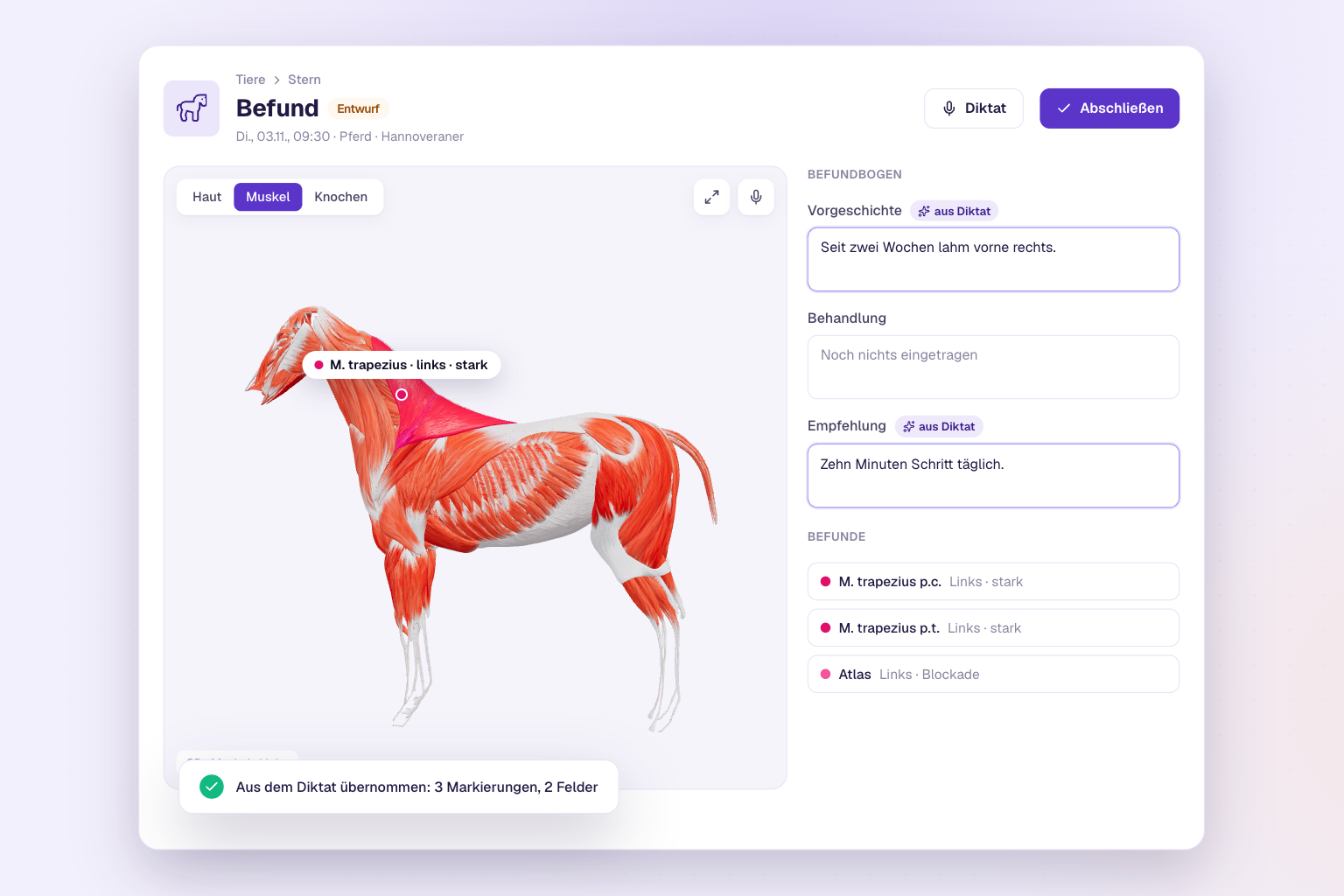
When you assess an animal, your hands are on the animal. Until now, dictation could fill the text fields of your form – the markings you then set by hand: pick the layer, find the muscle, side, severity. From now on, one dictation does both in one go. You speak, TheraTap places the findings on the right structure on the body map or 3D model and enters the rest in the form.
The video shows the German version of the app.
How it works
-
In the finding, tap the microphone on the map (above “Fullscreen”) or Dictation at the top – both open the same window.
-
Start recording and speak freely, the way you would tell a colleague. For example:
“Trapezius left severely tense, sensitive to pressure. Atlas blocked. Lame front right for two weeks. Recommendation: ten minutes of walking daily.”
Already recorded the session as a voice memo on your phone? Just upload your own audio file.
-
The AI shows you two lists: Markings on the map (here trapezius pars cervicalis and pars thoracica, left, severe, with the comment “sensitive to pressure”, plus the atlas with “blockage”) and Texts in the form (history and recommendation).
-
Deselect what doesn’t fit, correct the texts right there if needed and tap Apply selected.
The map then jumps to the layer of the first new finding – in the 3D model including the sub-layer (e.g. deep muscles) and side. So you see straight away what was created.
What the AI recognises
- Structure – from the catalogue of your species: muscles, bones, joints, fascia and more
- Side – without one, the finding is placed on the left; say “both sides” for both
- Severity – slight, moderate or severe
- Options – such as “blockage” on a vertebra, including your team’s own options
- Anything else such as “sensitive to pressure” – goes into the finding’s comment
If a structure only exists in parts (like the trapezius), TheraTap marks all parts unless you name one. Anything that can’t be matched to a structure is listed below the markings – usually it ends up in the right text field anyway.
You stay in control
- Nothing is saved without your OK: you review every marking and every text before applying.
- If a structure already has a finding, it is extended instead of created twice.
- Existing text in the form stays, the suggestion is appended and labelled “from dictation”.
Get started
Dictating findings is available for horses, dogs and cats in the web app – with the AI add-on and an internet connection. Open a finding, tap the microphone on the map and start talking. All the details are in the guide to the AI voice feature.