TheraTap
Try for free

Already registered? Log in

Tour planning

Your daily route — automatically from the calendar

No more spending hours planning routes in Google Maps. TheraTap collects all home visits for the day, shows them on the map and optimizes the order for the shortest driving time.

App screenshot

From the calendar

All appointments for the day at a glance

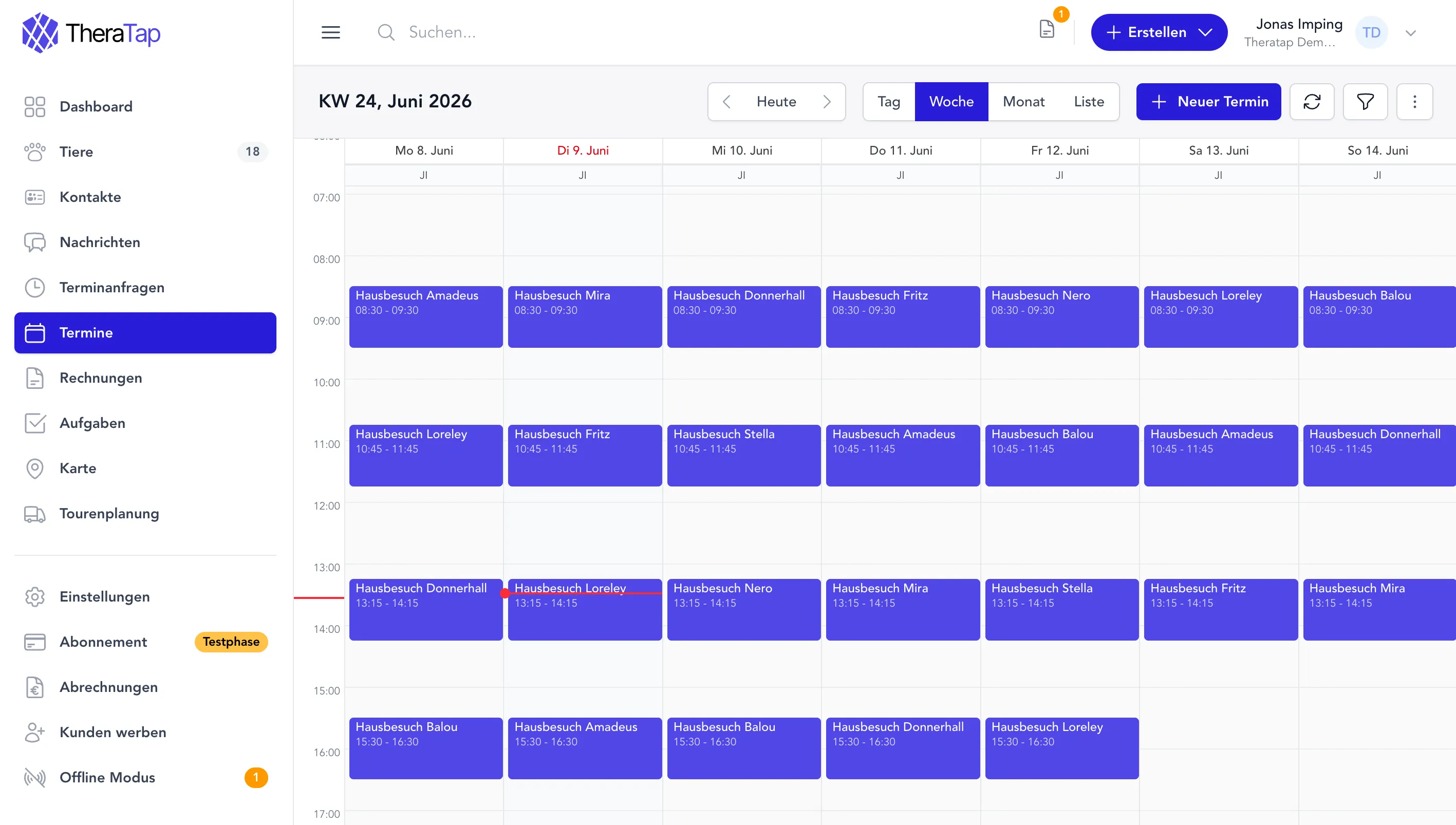
TheraTap reads your calendar entries and builds a daily route automatically. Each stop includes patient, time and address — for you or individual therapists in your team.

Automatic stops
Home visits for the selected day are added as route stops automatically — no manual entry needed.
Stable address for horses
For equine patients, TheraTap automatically uses the stable address instead of the owner's address.
Chronological order
Stops initially follow the appointment order in your calendar.
Filter by therapist
In teams, view the route for everyone or for a specific therapist.
Product screenshot

Map & overview

Map view with all stops

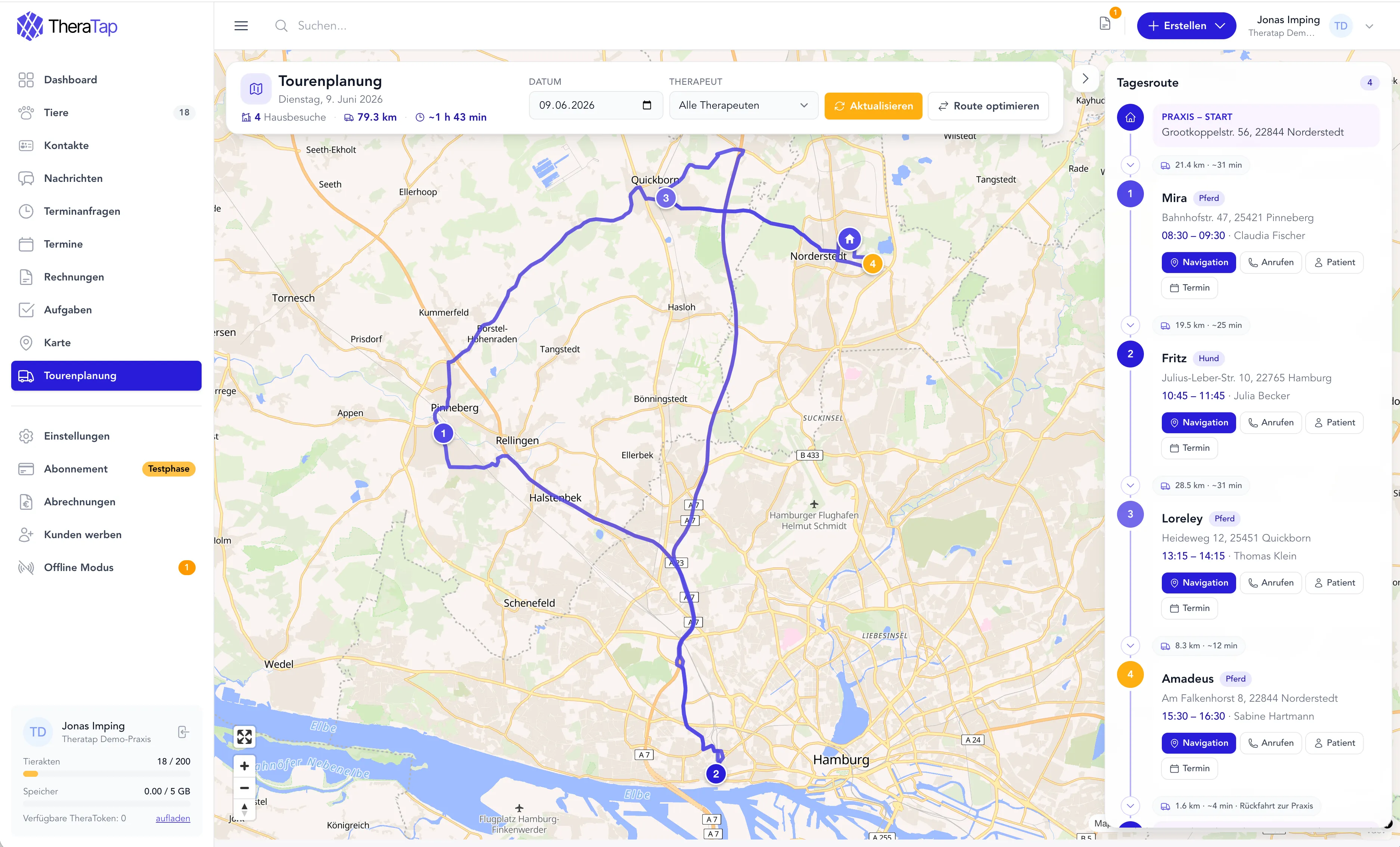
See your daily route on an interactive map with all stops, practice start and return. KPIs show home visits, total distance and driving time at a glance.

Product screenshot
Route on the map
The planned route is shown as a line on the map — including your practice as the starting point.
KPIs at a glance
Home visits, miles and driving time — instantly visible for your day planning.
Navigation & contact
Jump straight to navigation or call patients from a stop.
Stop list with details
All stops with patient, time and quick actions in a clear list.

Route optimization

Optimize your route — fewer miles, more time

With one click, TheraTap sorts your stops for the shortest driving time. Optionally start and end at your practice address — for realistic day planning.

Optimized for driving time
Stops are reordered for the shortest driving time — fewer miles on the road.
Original order
Return to the original calendar order at any time.
Practice as start & destination
Start at the practice and optionally plan the return trip at the end of the day.
Transparent notices
After optimization, TheraTap clearly indicates when the order no longer exactly matches appointment times.
Product screenshot
Less driving time
Optimize stop order by driving time and save miles in your daily practice.
One click to navigate
Start navigation for the whole day directly in Google Maps.
Directly from the calendar
The route is built directly from your calendar entries — no duplicate data entry.

Fewer miles, more time for your patients

Save driving time, reduce stress and arrive more relaxed at your patients. Try tour planning free for 7 days.

TheraTap App Screenshot

Frequently asked questions about tour planning

TheraTap collects all home visits for a day from your calendar, sorts them by appointment time and displays them on a map with total distance and driving time. With one click you optimize the order for the shortest driving time.

Each appointment needs a usable address on the patient or contact. Appointments without an address are skipped and shown as a notice — so you immediately see what still needs to be maintained.

Yes. From the calendar or tour planning, open the full daily route in Google Maps with one click — including all stops in the current order.

Yes. You can view the route for all therapists or for one person — useful for practice management and scheduling.

Tour planning is included in the Profi and Praxis plans — ideal for mobile therapists, veterinarians on home visits and teams with field work.