







Set up repeating tasks once — instead of typing them again and again
Some to-dos just keep coming back — airing out the practice, disinfecting equipment, the weekly billing. Entering them by hand every time takes more time than it should. That’s why TheraTap now has recurring tasks.
You create a task once, pick the rhythm — and TheraTap takes care of the rest. Just like a normal task, only repeating.
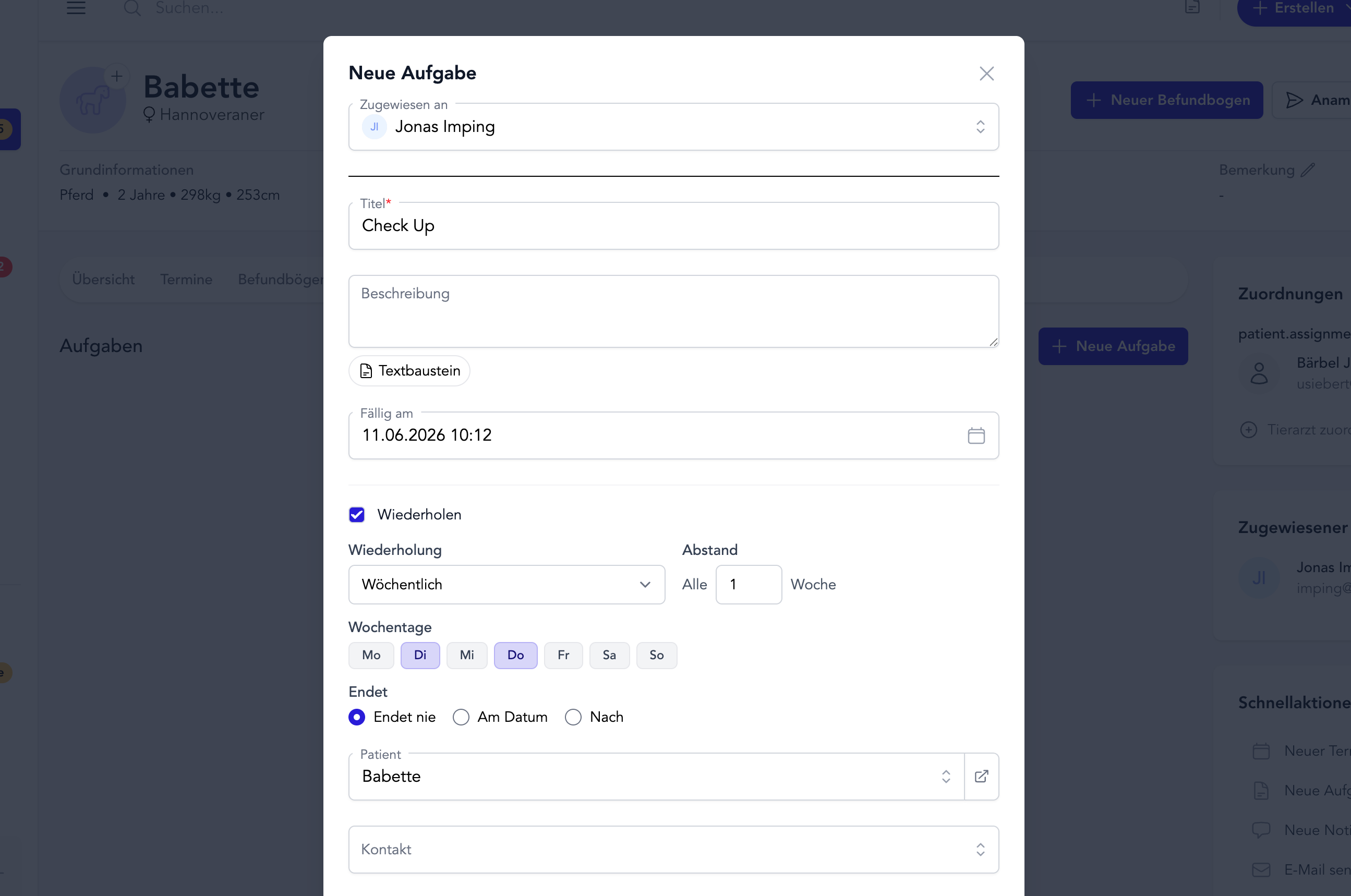
The rhythms you can choose
- Daily, weekly, every two weeks, or monthly — to match your practice routine
- Custom interval — e.g. “every 2 weeks” or “every 3 months”
- Multiple weekdays — for example every Monday, Wednesday and Friday
- A clear end, or open-ended — until a date, after a fixed count, or simply unlimited
Always exactly one open task
Recurring tasks don’t flood your list with dozens of future entries. Instead there’s always exactly one open task. Check it off and the next one appears automatically — on the correct next day of the rhythm.
That keeps your task list tidy: you see what’s next, not a mountain of upcoming to-dos.
Adjustable any time
Plans change — and so can recurring tasks:
- Turn a normal task into a series — just switch on repetition later
- Change the rhythm — different interval, different weekdays, different end
- End the series — switch repetition off; the current task stays, nothing new follows
Everything keeps working as usual
Every task in the series is a full task: team assignment, patient and contact references, due dates, and the dashboard widget all work just like before. In the list you’ll spot recurring tasks by a small repeat icon ⟳.
Set it up once. Never forget again. More time for your patients.
Questions or feedback? Get in touch — we’d love to hear from you!