







Set up repeating appointments once — instead of every week
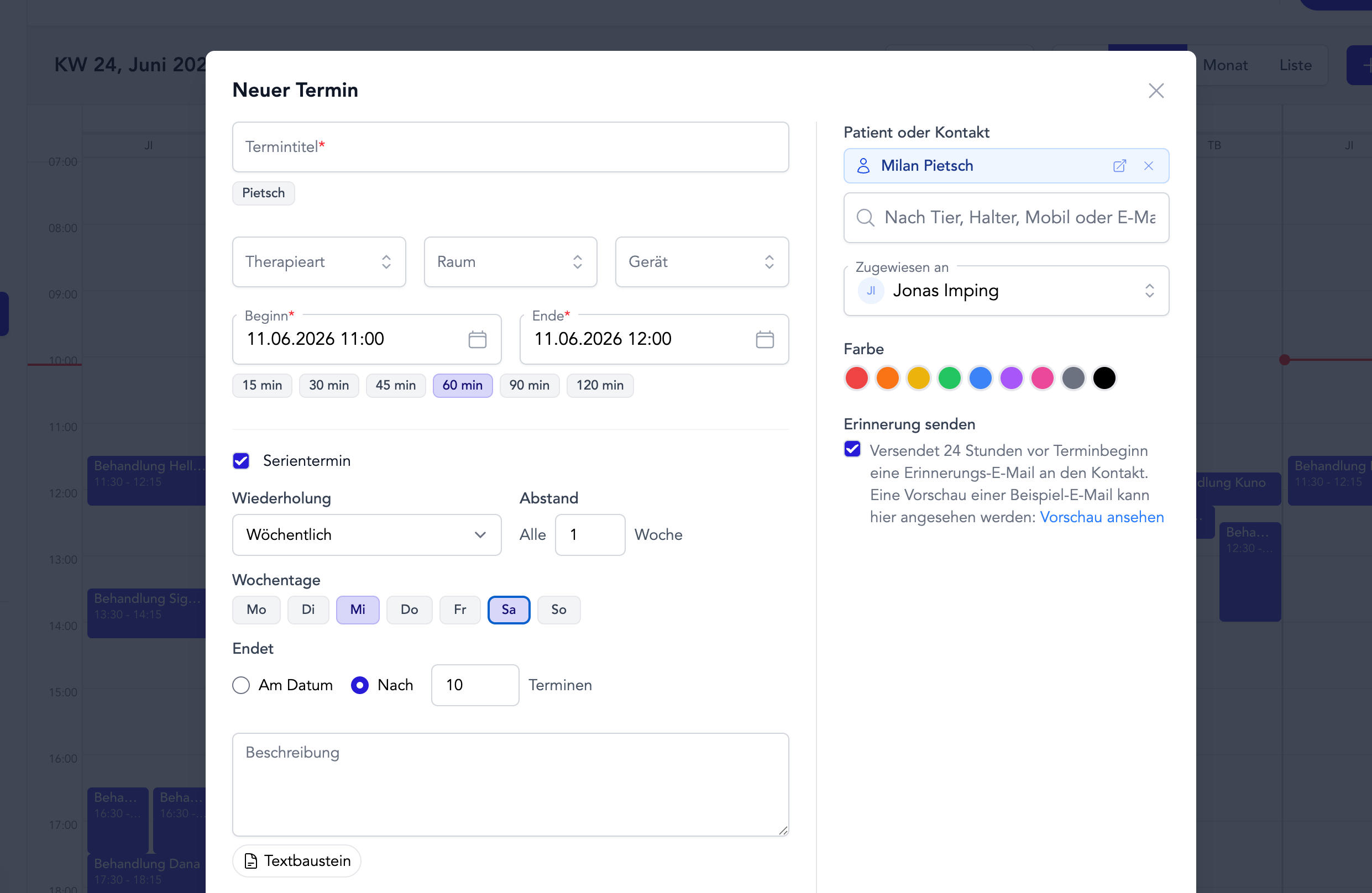
Many treatments run over several weeks — and entering each follow-up appointment by hand takes more time than it should. That’s why TheraTap now has recurring appointments.
You create an appointment once, pick the rhythm, and TheraTap builds the entire series for you. Just like a single appointment — only for the whole treatment series.
The rhythms you can choose
- Daily, weekly, every two weeks, or monthly — to match your treatment plan
- Custom interval — e.g. “every 2 weeks” or “every 3 months”
- Multiple weekdays — for example every Monday and Wednesday
- A clear end — until a date or after a fixed number of appointments
A single one or the whole series
Plans change. So whenever you make a change, you decide what it affects — exactly the way you know it from Google or Outlook:
- Only this appointment — e.g. move or cancel a single date
- This and all following — the rhythm changes from here on
- The entire series — one change for every appointment
Drag a single appointment to a new time and it stays as an exception — the rest of the series is left untouched.
Everything keeps working as usual
Every appointment in the series is a full appointment: reminders, Google Calendar sync, and ICS export work for each occurrence just like before. In the calendar you’ll spot recurring appointments by a small repeat icon ⟳.
Set it up once. See the whole treatment period at a glance. More time for your patients.
Questions or feedback? Get in touch — we’d love to hear from you!