








Purchase price in, sale price out
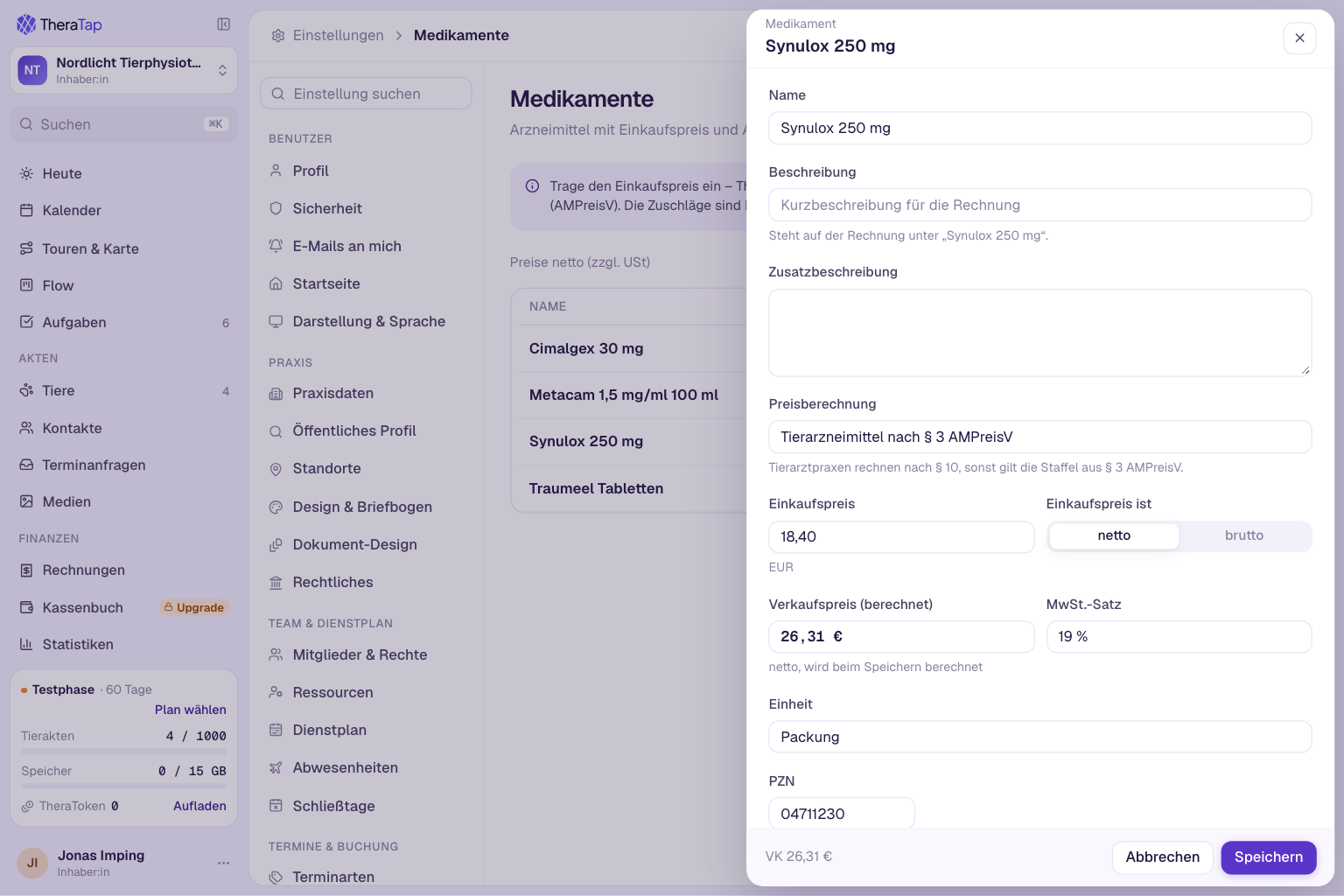
If you dispense medications, you know the routine: look up the purchase price, work out the surcharge according to the German drug price ordinance (AMPreisV), add VAT. TheraTap now does this for you.
A separate area for medications
Under Settings → Medications you manage your drugs separately from services and products – with purchase price, unit and optionally the PZN. The list shows purchase and sale price side by side and can be searched by name or PZN.
Sale price according to AMPreisV
Enter the purchase price, net or gross, and choose the price calculation:
- § 3 AMPreisV – the tiered surcharges for veterinary drugs
- § 10 AMPreisV – for veterinary practices, with lower surcharges for expensive products
- Human drug for animals – 3 % + €8.10
- or, as before, set the price manually
You see the sale price right away; it is stored net or gross, depending on how your practice states prices. When the purchase price changes, the sale price is up to date with one click.
On the invoice as usual
You add medications to invoices and appointments like any item, also as part of a bundle. They are billed like products.
There is no connection to drug databases yet. Let us know what would matter to you.
All details in the medications guide.