The visit on one page — instead of five tabs
The calendar tells you when. The Flow Board tells you how far along. Once the animal is in front of you, a third question matters: what do I need right now for this visit?
Until now the answer was: calendar, animal record, findings form, invoice, follow-up — and trying not to lose the thread. That is what the appointment cockpit is for.
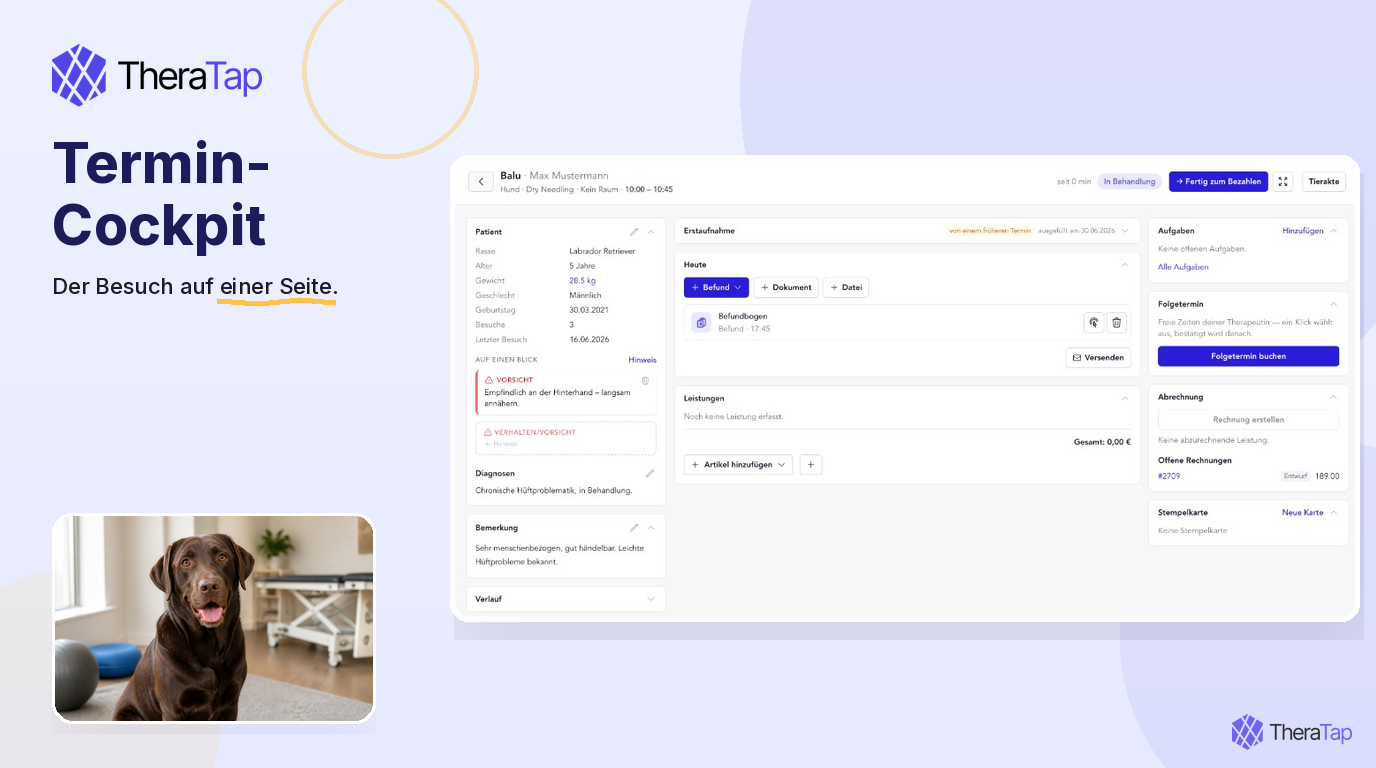
Three columns, one visit
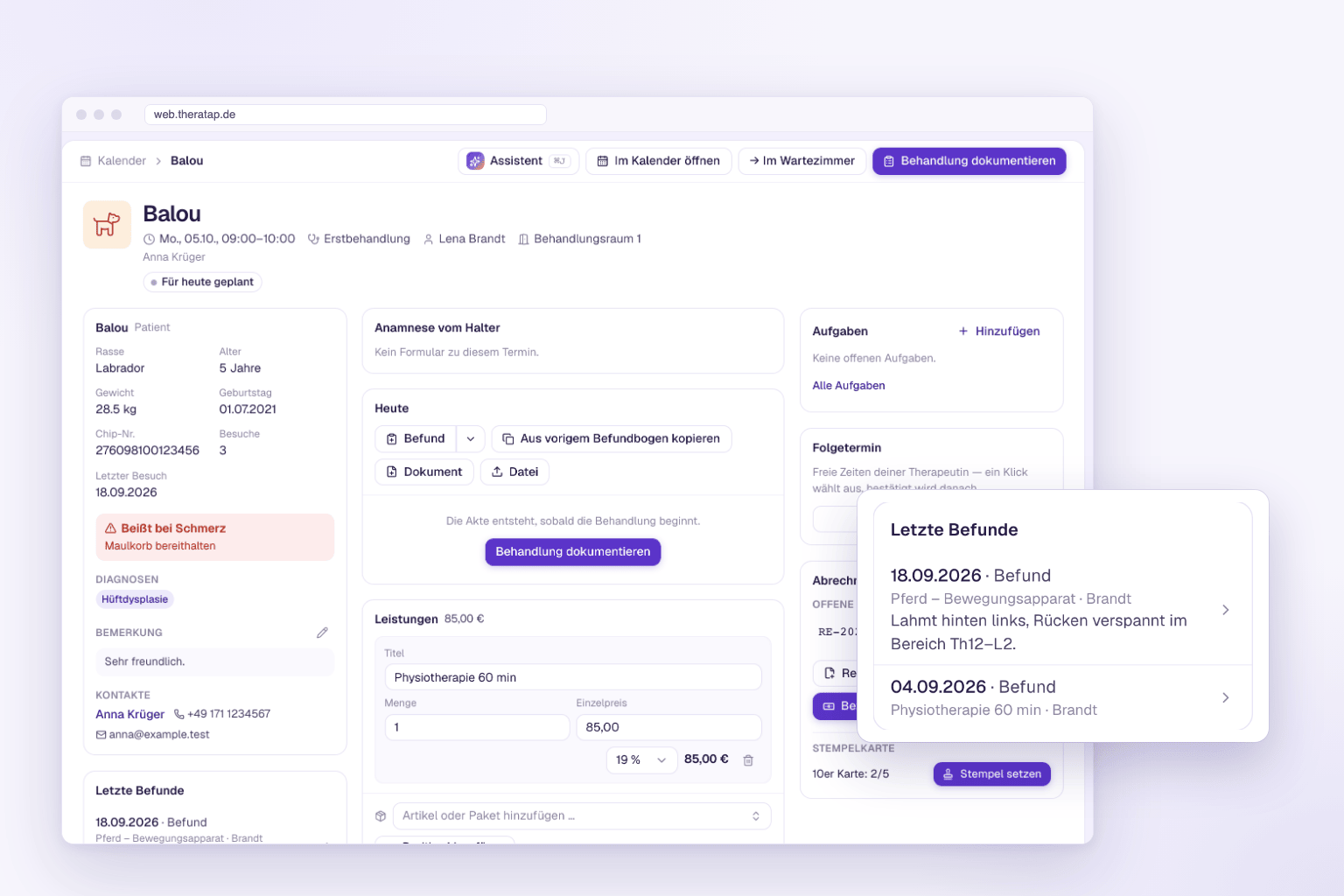
On the left, context: warnings, diagnoses, history, notes. In the middle, treatment: anamnesis, findings, documents, files, services. On the right, closing: tasks, follow-up, draft invoice, stamp card.
You do not have to leave the page. See whether Luna reacts to a medicine, copy the last findings, or book the next appointment — all in one place.
In, without a detour
You reach the cockpit from wherever you already are:
- Click the card on the Flow Board — or drag it to In treatment
- Open cockpit in the appointment form
- Flow icon in the appointment list of a contact or animal record
Back to the board is one click. The animal record stays next to it when you need master data or the full history.
What was created today stays on the appointment
Findings, documents and files are attached to the visit, not only to the record. Under Today you see what came out of this visit — and can send it straight to the owner. Earlier visits open as a visit dossier, without leaving today’s appointment.
You copy the last findings form as a starting point, instead of typing it again from scratch.
When the visit is done
Top right takes you on: to the next column on the board, to the next patient, or back to the board. Services, draft invoice and follow-up are then waiting.
The appointment cockpit is available for everyone from today. All the details are in the documentation.