Personal events from iCloud or Outlook block your time – in the calendar and in online booking
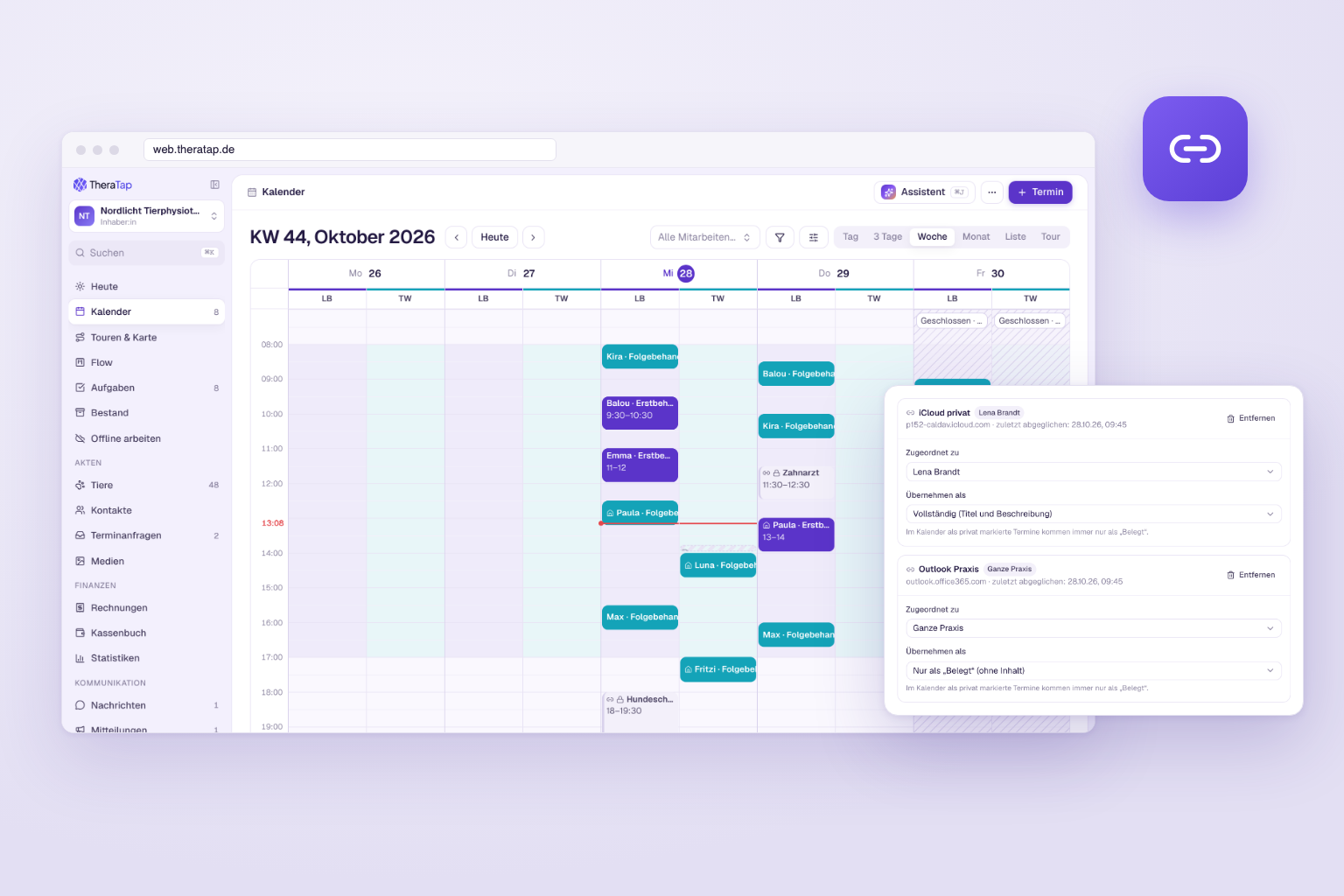
Many of you don’t plan your personal life in Google, but in the Apple calendar on your iPhone or in Outlook. Until now, TheraTap could only import Google calendars. From today, you can add Apple and Outlook calendars too – via link, without connecting an account.
How it works
Apple and Outlook can publish a calendar as a link (ICS link, starting with “webcal://” or “https://”). You paste this link into TheraTap:
- In the calendar, open Connect calendars …, or go to Settings → Integrations, section Calendar via link.
- Add calendar via link, give it a name (e.g. “iCloud personal”) and paste the link.
- Done – TheraTap fetches the calendar right away and then every 15 minutes.
Where to find the link in Apple and Outlook is explained step by step in the “Calendar via link” guide.
What happens next
- Your time is blocked – in the calendar and in online booking. Nobody books you while you’re at the dentist or at dog school.
- “Busy” only at first – new calendars import events without title or details. To see titles, set Import as to full. Events you marked as private in your calendar always stay “Busy”.
- Recurring events come along – including exceptions and moved occurrences. Events marked as “available” or cancelled are not imported.
- Read-only – TheraTap never writes back to your Apple or Outlook calendar. Imported events show a link icon, are internal to your practice and can’t be edited.
For the whole team
Everyone can add their own calendar. Owners and admins can also assign a calendar to another person or to the whole practice – for example a shared Outlook calendar for practice closures.
Using Google? Then the direct Google Calendar connection remains the better choice: it syncs faster and can also send TheraTap appointments to Google.
Get started
Open the web app, choose Connect calendars … in the calendar and paste the link of your Apple or Outlook calendar.