







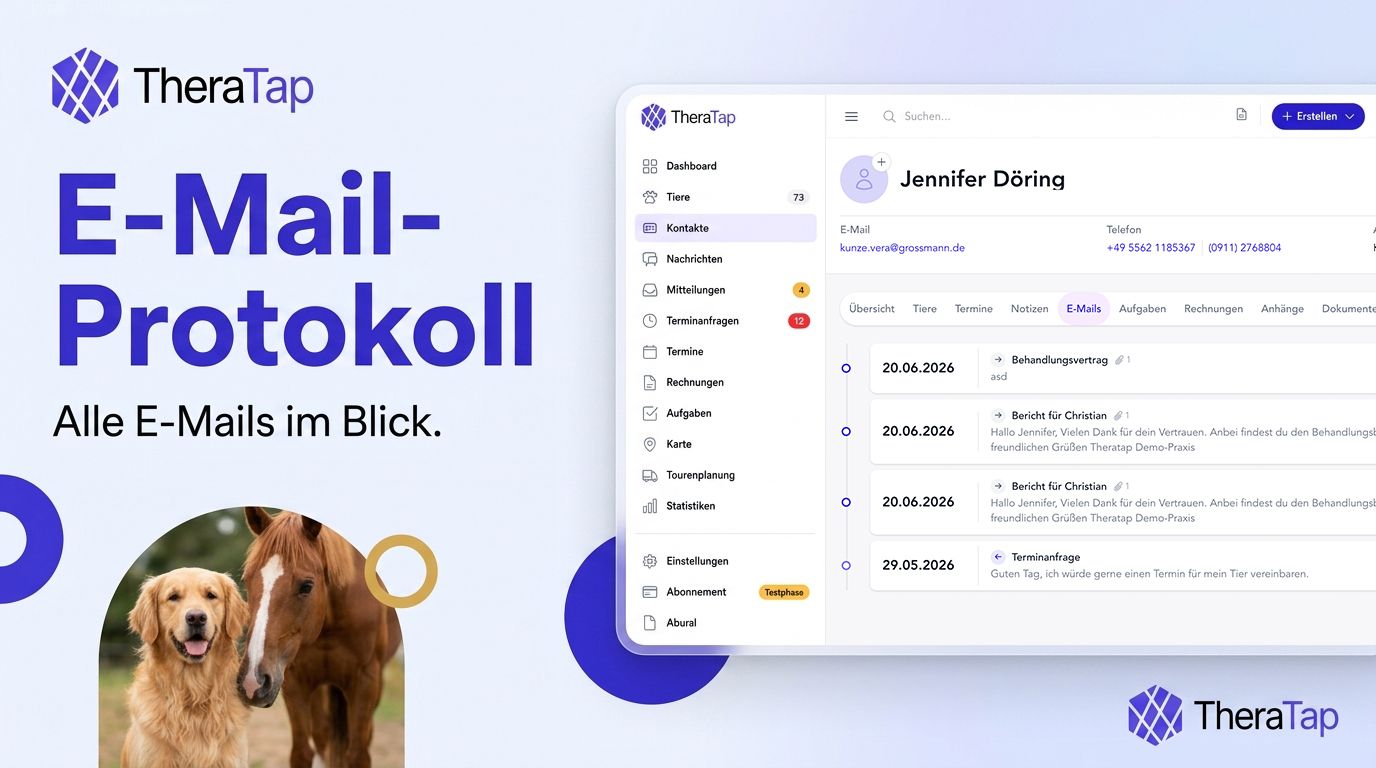
Finally see which emails went out when – with delivery status and a link to the original message
“Did I already send the invoice?” – “When did the assessment go to the pet owner?” Questions like these come up constantly in every practice. Until now, the answer was scattered across individual hints – yes for assessments, not at all for invoices. With the new email log, you now see centrally which emails went to a contact or patient, when they were sent, and whether they were delivered or opened.
At a glance
- New “Emails” tab in contact and patient records – a chronological timeline of all logged messages
- Delivery status – sent, delivered, opened, or failed at a glance
- “Sent on …” directly on assessments, invoices, therapy plans, and documents – click opens the original email
- Read-only – a log for reference, not a second mail client for replying
Emails tab: your internal mailbox
Open a contact or patient and switch to the Emails tab. There you’ll find every message TheraTap has logged for that person or animal – as a timeline with subject, date, direction (inbound or outbound), and status badge.
Click an entry to open the detail view with the full content: subject, sender/recipient, message body, and – for outbound emails – the attachments that were sent (e.g. assessment PDF, invoice, therapy plan).
What gets logged automatically?
TheraTap records emails as soon as they go out through the software:
- Manual emails from the email composer (to one or more recipients)
- Automatic notifications – appointment confirmations, reminders, assessment delivery, birthday greetings, and more
- Inbound emails to your TheraTap practice address – text only, no attachments (lightweight)
You don’t need to enable anything extra: whatever is sent through TheraTap lands in the log.
“Sent on …” – wherever it matters
Alongside the tab, you’ll see a clear hint when something was emailed:
- Assessments – separate for pet owner and veterinary practice, as before – now with a link to the email
- Invoices – in list and detail
- Therapy plans and documents – also with sent date
If something was sent before this update, the date remains visible – even when there’s no link to the detail view.
Not a replacement for your inbox
The email log is deliberately read-only: you can read messages there and trace what was sent, but you can’t reply directly. To write emails, keep using the familiar email composer in TheraTap – or your team inbox for incoming replies.
Available on all plans.
All the details about the email log →
Questions or feedback? Get in touch — we’d love to hear from you!