See at a glance what is still missing after an appointment – plus an invoice editor that looks like the finished document and many small wishes from your emails
Since the October product update, quite a bit has been added to the new web app at web.theratap.de. Much of it came straight from your emails and feedback.
Two bigger features have their own posts:
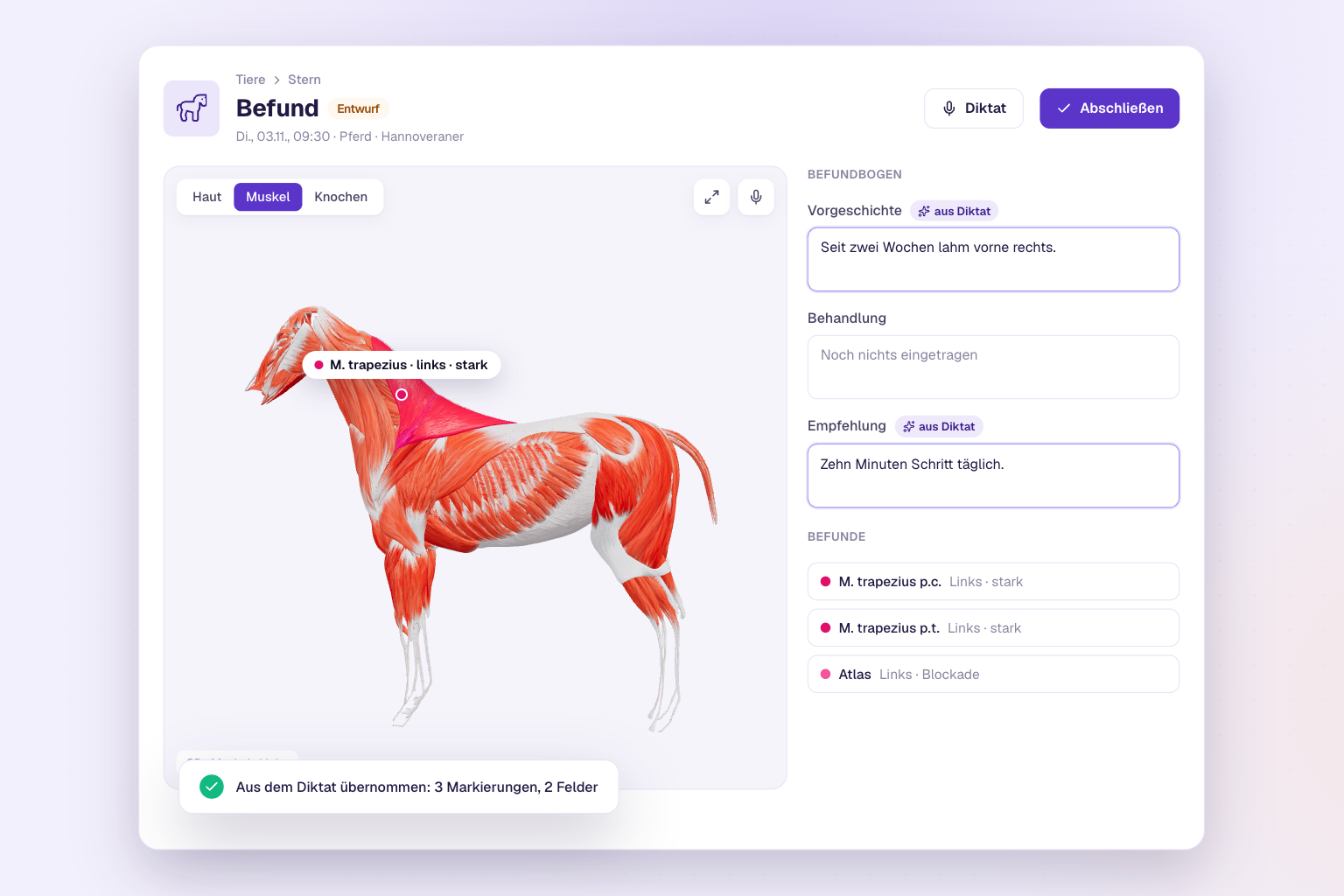
- Dictate findings – your dictation places findings directly on the right structure in the body map and the 3D model.
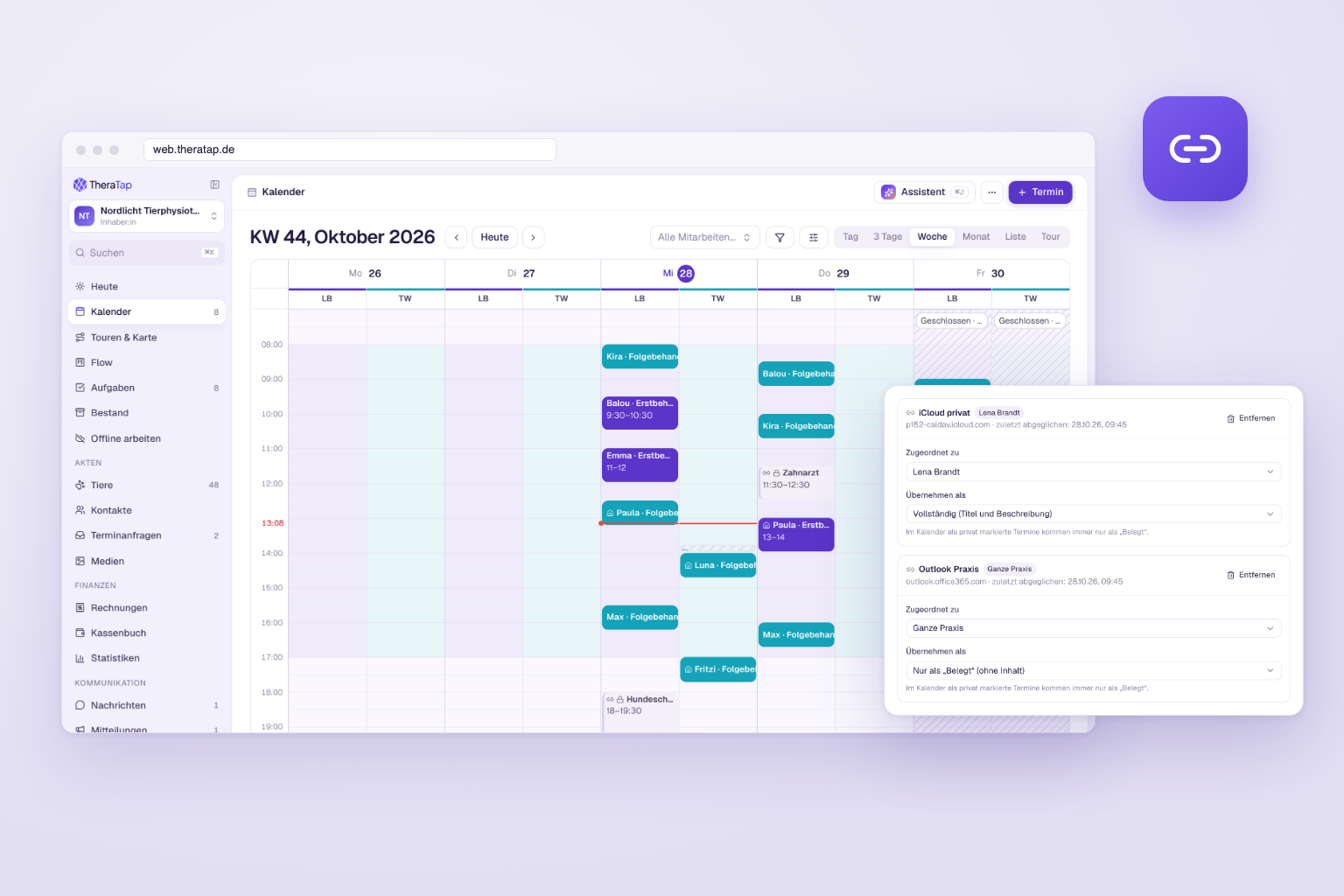
- Apple and Outlook calendars via link – private appointments from iCloud or Outlook block your time in TheraTap and in online booking.
The video shows the German version of the app.
And in case you missed it: the course module can now be added to any plan as an add-on.
The highlights at a glance
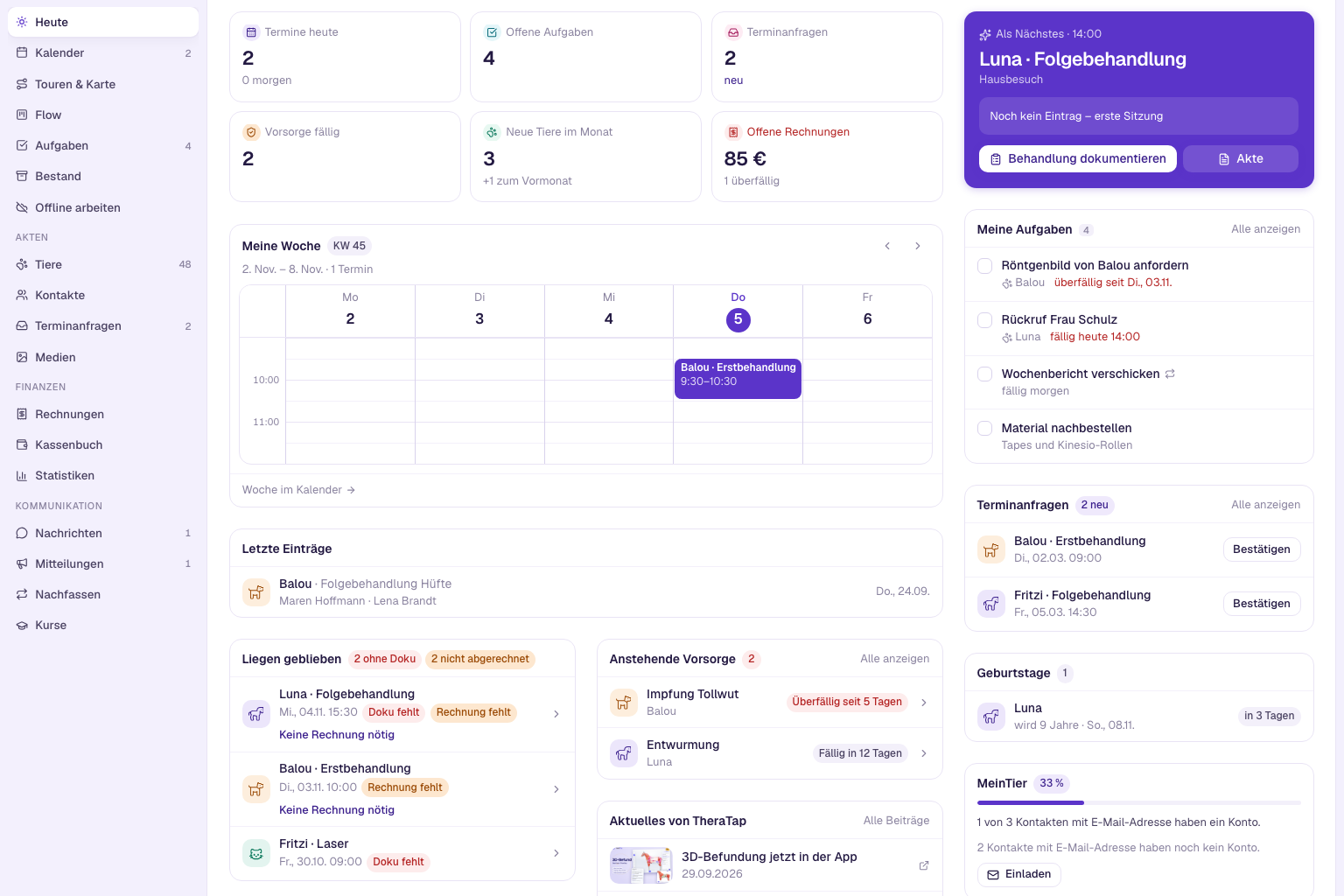
- “Loose ends” – the home page shows appointments from the last 14 days without documentation or without an invoice
- Colour-coded key figures – the numbers on the home page are quicker to tell apart
- Invoices like the PDF – the editor is laid out like the finished document, the preview shows the real PDF
- Appointment reminder 18 or 20 hours ahead – to match your cancellation period
- Preventive care reminder with your own template – write the text for email and SMS yourself
- Findings without the practice address – for everyone who works on the road and does not want to show their home address
Today: what is still left to do
An appointment is over, but the entry is still missing – or the invoice. In everyday practice that slips through easily, especially after a long day on the road.
On the Today home page there is now a Loose ends card. It shows your appointments from the last 14 days that still have no documentation or no invoice. At the top you see how many there are of each, and every row says what is missing: No documentation or No invoice. One click opens the appointment cockpit, where you take care of the rest. An invoice draft already counts as an invoice.
The video shows the German version of the app.
Not every appointment is billed, for example a follow-up check included in a package. You tick such appointments off with No invoice needed, and they disappear from the list.
The card is switched on for everyone by default. If you do not need it, hide it via Customize home page.
Colour-coded key figures
The key figures at the top of the home page – appointments today, open tasks, appointment requests, preventive care due, open invoices – now have coloured icons. That way you find the number you are looking for even at a quick glance.
3D as the default for new practices
New practices now record findings on the 3D model by default. Nothing changes for existing practices. How 3D findings work is explained in the guide to the animal models.
Invoices: what you write looks like the PDF
Until now the invoice editor looked like a form – you only saw how the invoice would reach your clients afterwards.
Now the editor is laid out like the finished PDF: logo and title in your practice colour, the sender line above the address, the practice block, invoice details, the box with the animal, the line items with quantity, unit and unit price, and the footer with tax number and payment details at the bottom. Your document design settings apply here too, such as a hidden sender line or your letterhead.
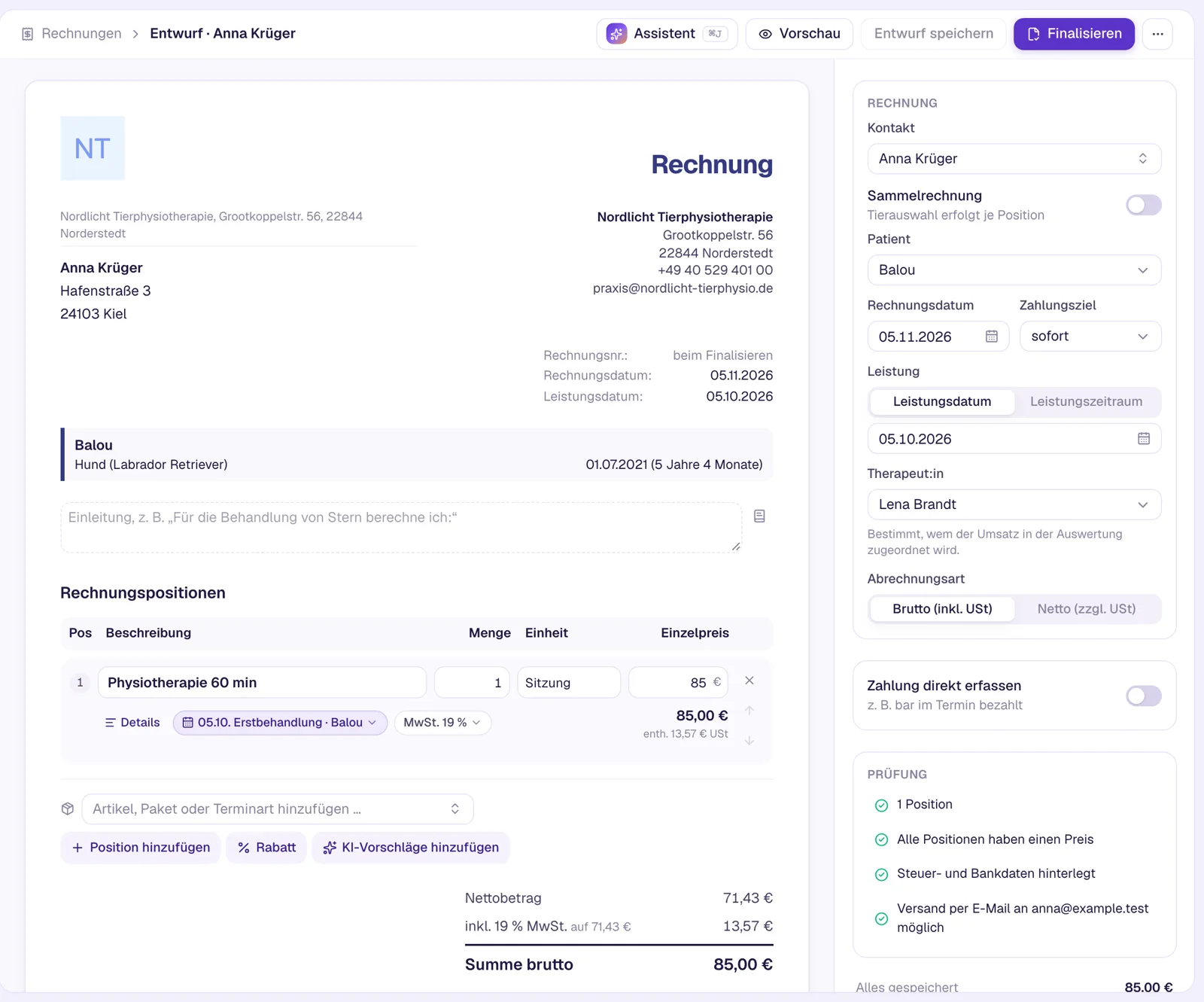
Preview now shows you the real PDF with a “Draft” watermark. TheraTap saves unsaved changes as a draft first. In the invoice view you switch between the page and the PDF; on your phone you open the PDF via the Open PDF card. If you invoice via Lexware, the preview in the editor stays as it was.
Also new
Appointments and communication
- Appointment reminder 18 or 20 hours ahead: Under Settings → Communication → Notifications there are two new lead times. For example, the reminder then only arrives after your free cancellation period has ended. The notes on the appointment now show the time you set instead of always 24 hours. More →
- Preventive care reminder with your own template: The reminder for vaccinations, deworming and check-ups is now its own automatic message. You write the text for email and SMS yourself, with placeholders for the measures due and the date. One switch per channel turns it on or off for the whole practice. More →
- Send the medical history form right away: When you create a new animal or contact, just tick Send medical history form to owner. After saving, sending opens with the form and channel preselected. More →
- Google Calendar: Open appointment proposals now appear as “Proposal: …” in your Google Calendar and block the time there. Once the owner accepts, the prefix disappears. More →
- Calendar subscription per person: The subscription links for the team calendar and for individual therapists now really only deliver their respective appointments. More →
- From appointment and task straight to the record: In the appointment view and the task panel, Open record takes you to the animal or contact record.
Online booking
- No slots without a room or device: If an appointment type requires a room or device type with no active item, online booking no longer offers any times. The appointment type tells you with the note No online slots and a link to rooms and devices. More →
- Closures block booking: A closure at a location now also applies to bookings where no location has to be chosen. More →
Documentation and records
- Practice address on findings can be turned off: You work on the road and do not want to show your home address on findings? Under Settings → Document design, switch off Practice address on findings. Name, phone and email stay; invoices still show the address. More →
- Quick note: Every entry in the quick note now becomes its own note instead of being appended to the note from the same day. More →
- Archiving clients takes their animals along: When you archive a contact, their animals are archived too and future appointments are cancelled – unless the animal has another active owner. Restoring brings the animals back.
- Electrotherapy: New current type medium frequency (amplitude-modulated) with its own field for the carrier frequency, e.g. for the Amplivet. More →
Invoices and accounting
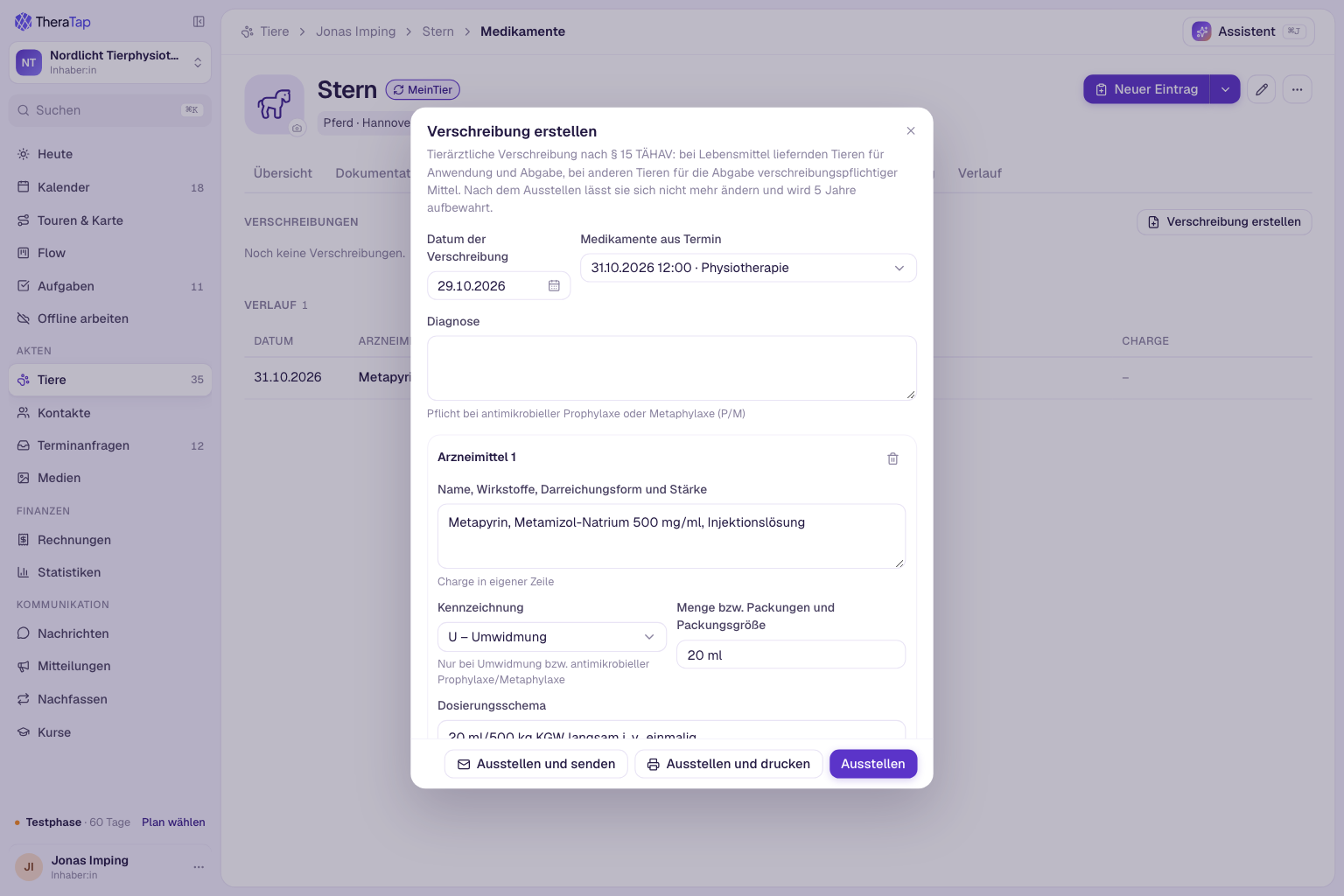
- Unit for single dispensing: If you dispense a medication individually, the invoice shows the matching unit, e.g. “ml” instead of “pack”. More →
- GOT services in packages: Item packages can now also contain GOT services with their rate. More →
- DATEV cash export with BU key: With cash-basis accounting you store the BU key per tax rate, and invoice payments carry it in the export. More →
- Lexware: Invoices are transferred with the price type from TheraTap – gross prices stay gross. On combined invoices the items are grouped by animal. More →
- Invoice number already taken: If the next number is already in use, for example after switching from Lexware, TheraTap now tells you clearly and points you to the Next number setting.
Thank you for your feedback
Almost everything in this update came from your emails and feedback. If something is missing in the new app or does not work the way you expect, write to us via Help & feedback in the user menu. We read every message.